---
title: Footer Settings
description: "Walkthrough Video: HERE Objective This video outlines the steps to customize the footer settings on the Dutchie demo site, ensuring a consistent and..."
---
[Skip to content](https://helpdesk.cannaplanners.com/learn/getting-started/footer-settings#main-content)
English
Show submenu for translations
[More support](https://helpdesk.cannaplanners.com/learn/kb-tickets/new?hsLang=en) [Customer portal](https://helpdesk.cannaplanners.com/tickets-view?hsLang=en)

Open main navigation
Close main navigation
- English
Show submenu for translations
- [More support](https://helpdesk.cannaplanners.com/learn/kb-tickets/new)
- [Customer portal](https://helpdesk.cannaplanners.com/tickets-view)
- [Submit a Ticket](https://3ch77.share.hsforms.com/27H4imqj2RDSUWYeE9mWSDA)
[Submit a Ticket](https://3ch77.share.hsforms.com/27H4imqj2RDSUWYeE9mWSDA)
How can we help you?
- There are no suggestions because the search field is empty.
1. [CannaPlanners Knowledge Base](https://helpdesk.cannaplanners.com/learn?hsLang=en)
2. [Getting Started](https://helpdesk.cannaplanners.com/learn/getting-started?hsLang=en)
# Footer Settings
**Walkthrough Video:** [HERE](https://www.loom.com/share/13bb074dd1c54050842cc98b2a77ced4?sid=c563ac39-f6d9-4fc1-a8c8-9c33c7ca5323)
### Objective
This video outlines the steps to customize the footer settings on the Dutchie demo site, ensuring a consistent and appealing footer across all pages.
### Key Steps
1\. Accessing Footer Settings[0:43](https://loom.com/share/13bb074dd1c54050842cc98b2a77ced4?t=43)
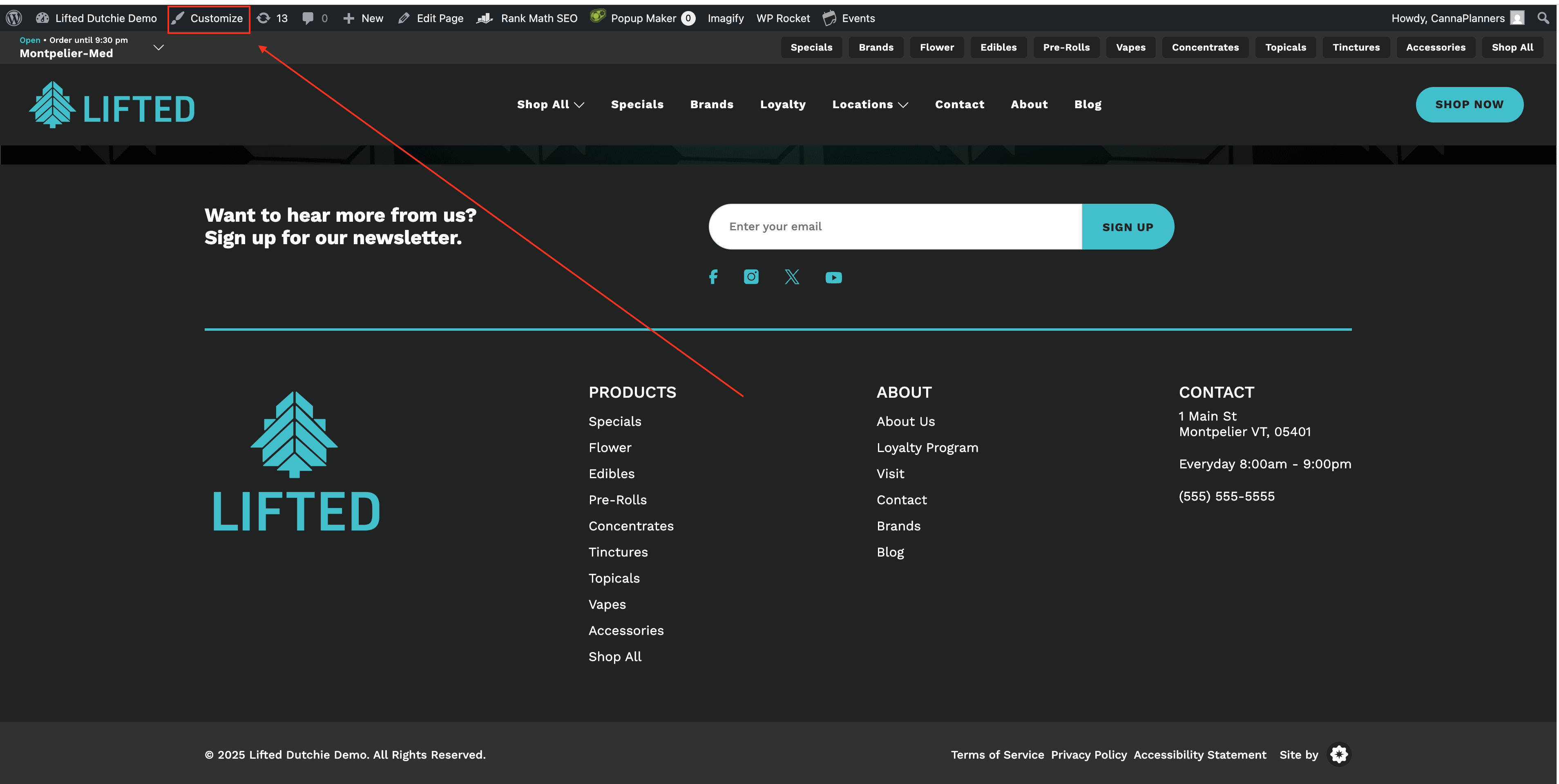
- Scroll to the bottom of the Dutchie demo site to view the current footer layout.
- Navigate to the customizer by clicking on 'Customize'.
- Select 'Site Layout' and then click on 'Footer'.
2\. Editing Footer Logo[1:21](https://loom.com/share/13bb074dd1c54050842cc98b2a77ced4?t=81)
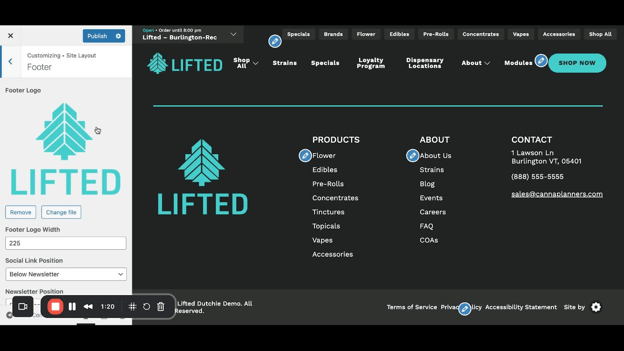
- Locate the 'Footer Logo' section.
- To change the logo, remove the current logo and upload a new file.
- Adjust the footer logo width to ensure it fits well with the footer layout.
3\. Adjusting Social Link Position[2:11](https://loom.com/share/13bb074dd1c54050842cc98b2a77ced4?t=131)
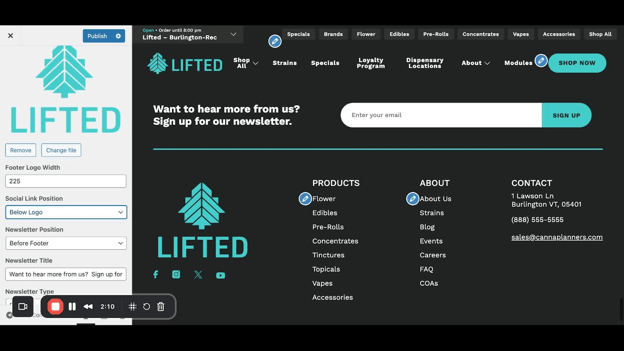
- Choose the position for social links (e.g., below the newsletter or below the logo).
- Preview the layout to see how it looks with the selected position.
4\. Configuring Newsletter Position[3:09](https://loom.com/share/13bb074dd1c54050842cc98b2a77ced4?t=189)
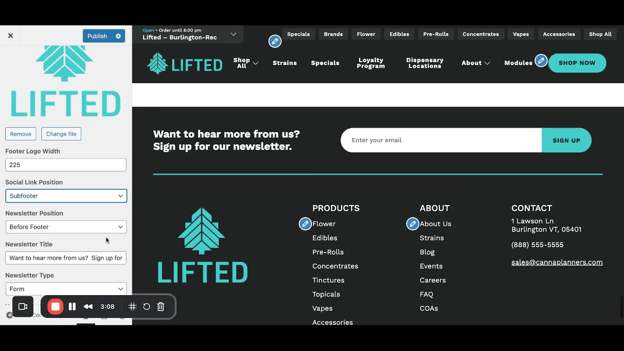
- Decide where to place the newsletter section (before the footer or inside the footer).
- Adjust the newsletter text to reflect your desired message (e.g., 'Join our inner circle').
5\. Setting Up Newsletter Sign-Up Options[4:18](https://loom.com/share/13bb074dd1c54050842cc98b2a77ced4?t=258)
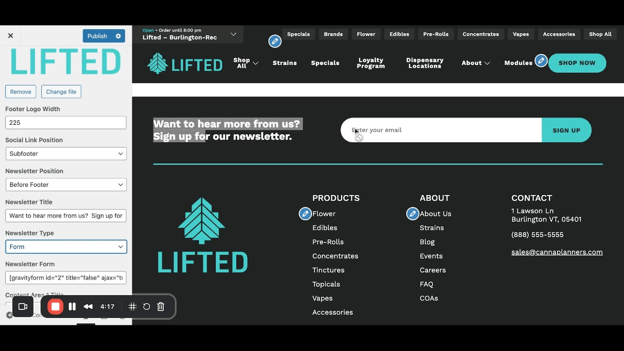
- Choose between a newsletter form or a button.
- If using a button, enter the URL for the sign-up page and customize the button text.
6\. Editing Content Area Titles[5:16](https://loom.com/share/13bb074dd1c54050842cc98b2a77ced4?t=316)
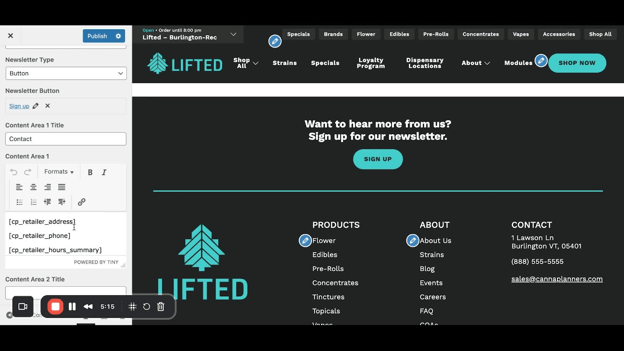
- For Dutchie users, ensure that your address and phone number are correctly pulled from the Dutchie settings.
- If not using Dutchie, manually enter your contact information.
7\. Adding a Disclaimer[6:12](https://loom.com/share/13bb074dd1c54050842cc98b2a77ced4?t=372)
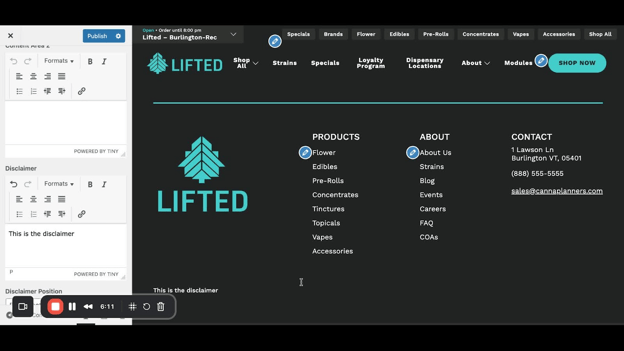
- Enter any necessary disclaimers in the designated area.
- Choose the position for the disclaimer (below footer or below the logo).
8\. Customizing Footer Links[7:01](https://loom.com/share/13bb074dd1c54050842cc98b2a77ced4?t=421)
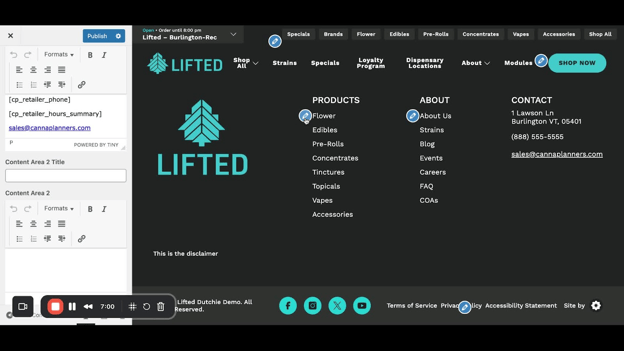
- Click on the blue crayon icon next to product categories to edit the menu.
- Remove or add categories as needed by clicking 'Add Items' or removing existing ones.
9\. Editing Quick Links[9:03](https://loom.com/share/13bb074dd1c54050842cc98b2a77ced4?t=543)
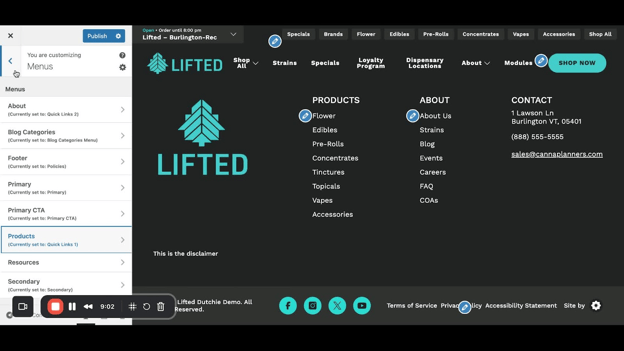
- Click the crayon icon next to Quick Links to access the editing menu.
- Add or remove links to pages as necessary.
10\. Publishing Changes[9:56](https://loom.com/share/13bb074dd1c54050842cc98b2a77ced4?t=596)
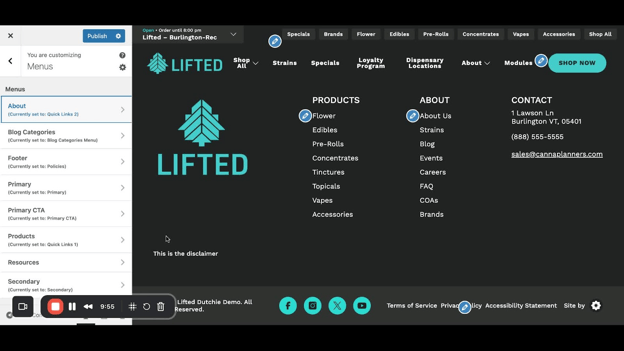
- Once all changes are made, click 'Publish' to save your updates.
### Cautionary Notes
- Ensure that any changes made to the footer are consistent with the overall branding of the site.
- Double-check all links for accuracy before publishing.
### Tips for Efficiency
- Use preview mode frequently to see how changes will appear on the live site.
- Keep a list of common footer elements to streamline future updates.
### Link to Loom
[https://loom.com/share/13bb074dd1c54050842cc98b2a77ced4](https://loom.com/share/13bb074dd1c54050842cc98b2a77ced4)
- [Website Training Videos](https://helpdesk.cannaplanners.com/learn/website-training-videos?hsLang=en)
- [Getting Started](https://helpdesk.cannaplanners.com/learn/getting-started?hsLang=en)
- [Account, Domain & Troubleshooting](https://helpdesk.cannaplanners.com/learn/account-domain-troubleshooting?hsLang=en)
- [Marketing Integrations](https://helpdesk.cannaplanners.com/learn/marketing-integrations?hsLang=en)
- [Products & Online Ordering](https://helpdesk.cannaplanners.com/learn/products-online-ordering?hsLang=en#main-content)
- [AIQ / Dispense Menu](https://helpdesk.cannaplanners.com/learn/products-online-ordering?hsLang=en#aiq-dispense-menu)
- [WooCommerce Store](https://helpdesk.cannaplanners.com/learn/products-online-ordering?hsLang=en#woocommerce-store)
- [Promotions & Campaigns](https://helpdesk.cannaplanners.com/learn/products-online-ordering?hsLang=en#promotions-campaigns)
- [Dutchie Menu](https://helpdesk.cannaplanners.com/learn/products-online-ordering?hsLang=en#dutchie-menu)
- [Content & Media](https://helpdesk.cannaplanners.com/learn/content-media?hsLang=en)
- [Site Design & Notices](https://helpdesk.cannaplanners.com/learn/site-design-notices?hsLang=en)
- [Compliance & Lab Results](https://helpdesk.cannaplanners.com/learn/compliance-lab-results?hsLang=en)
[](http://cannaplanners.com?hsLang=en)
[mailto:support@cannaplanners.com](mailto:support@cannaplanners.com)
Copyright © 2026, CannaPlanners