
When you are logged in to your website's Dashboard, you may see either of the following warning messages:
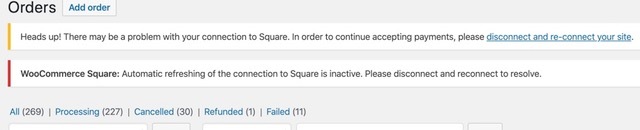
To fix these warnings, follow these steps:
- Make sure you are logged in to your Square account at https://squareup.com/login
- Visit the following page in your website’s Dashboard: WooCommerce -> Settings -> Square (Square is one of the tabs along the top of the page)
- Click the “Disconnect from Square” button
- Click the “Connect with Square” button and follow the prompts to finish the connection